
Companion picks
Pick a character to start with
Try a few different characters before you decide who feels right.
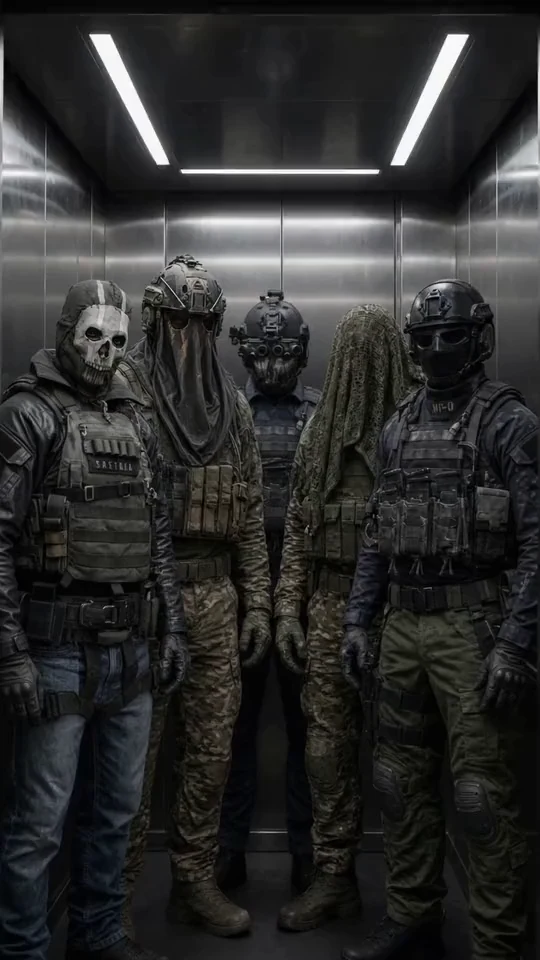
Military Team
Five Call of Duty operatives
Best for a group chat with Ghost, König, Keegan, Krueger and Nobody: military discipline, dry humor and five voices at once.

Ethan
Warm, playful boyfriend
Best when she wants a warm first message, soft comfort, and an easy chemistry check.

Satoru Gojo
The strongest sorcerer
Best for a playful, cocky first chat where the teasing hides a protective streak.

Cain
Centuries-old vampire
Best for a dark, slow-burn first chat with a cold, commanding man who guards the ones he lets close.
Why a regular AI chat ruins fanfiction about your favorite character
You’ve probably hit this wall already. You open a generic chatbot, describe the character you love, send the first line, and by the fourth reply he’s turned into a polite nobody. The speech patterns vanish, the signature phrases disappear, the motivation gets muddled. That’s out-of-character drift, and it’s the exact problem that kills an AI fanfic before it gets anywhere near the scene you actually wanted to write.
The second problem is worse. The scene builds tension, the dialogue reaches the moment the whole thing was leading up to, and then a canned safety message interrupts and the conversation just stops. Restarting the same scene at the same emotional pitch almost never works.
One-shot fanfic generators only hide this problem, they don’t solve it. You type in a character and a setting, you get a finished chunk of prose back, and that’s it. You can’t redirect the plot with a single line, adjust the tone mid-scene, or pick up exactly where the dialogue got interesting. The market is full of both types: text generators that spit out a complete piece in one click, and interactive chats where the scene builds together with you, reply by reply. For fanfiction with real dialogue, that difference is everything.
How to structure an AI fanfiction plot: a step-by-step method
A plot holds together because of structure, not word count, and you can set that structure before you write a single line of dialogue.
Step 1. Pick your entry point. Two options work reliably: a canon-adjacent moment (right after a specific event in the character’s actual story, where things could have gone differently) or an alternate universe, an AU (same personality, different circumstances: a different job, a different world, a different way the two of them meet). Neither is better than the other. Pick whichever one you’re actually excited to write.
Step 2. State the conflict in one sentence. What does the character want, and what’s stopping him: an external obstacle (another person, circumstances, time) or an internal one (fear, pride, an old wound). The formula is simple: “the character wants X but is afraid of Y” or “the character wants X but Z is in the way.” That sentence becomes your compass for the whole scene.
Step 3. Sketch three beats. Setup: whatever disrupts the normal order of things and kicks the scene off. Escalation: two or three moments that raise the stakes, like new information, an accidental closeness, something left unsaid. Payoff: the point of choice or confrontation the whole scene was building toward.
Step 4. Split the workload. An AI is genuinely good at generating dialogue variations, developing a scene from your cues, and pitching unexpected turns when you ask “what if.” Character logic, canon accuracy, and the final shape of the scene are better left in your hands. Without that, the plot slides into cliché fast.
This is a way of thinking, not a feature tied to one specific service. It works in any chat that lets you build the scene line by line instead of dumping a finished block of text on you.
Writing dialogue “in character”: the character card as your tool
The plot holds the shape, but a fanfic actually lives in the dialogue, and that’s where the second half of the problem shows up.
A character card solves out-of-character drift better than any prompt trick. Put in more than looks: personality, speech patterns (short clipped lines or long monologues, signature words, tone), backstory and relationship to whoever they’re talking to, and behavioral limits. The more specific the speech habits, the less the AI drifts toward a flat, neutral tone after a few exchanges. It functions almost like an anchor.
One thing that actually helps: before a scene starts, set not just who the character is, but what he’s feeling right now. Emotional state in the moment holds a voice steadier than a general personality description ever does.
The difference shows up fast in a short example. Take a generic fictional character: sharp, sarcastic, a mercenary who hides anxiety behind jokes. An out-of-character reply sounds sanitized: “I understand your concern. How can I help?” An in-character reply sounds like this instead: “No time for concern. Talk fast, what happened.” One detail of personality, and it’s the difference between a dead line and a living scene.
Ready-made opening lines and scene starters are worth borrowing from 101 AI boyfriend prompts for first messages, roleplay ideas, and scenarios. The logic transfers to any character, romantic or not.
The method holds up on paper. It runs into the censorship wall in a general-purpose chat right at the moment the scene actually gains emotional weight. From there the question isn’t the method anymore, it’s where you don’t have to fight that wall at all.
Where to write fanfic without the scene getting cut: mybf.bot in action
Instead of a one-shot prose generator, this runs as an interactive roleplay chat: the scene builds reply by reply, and the character responds to what you just wrote instead of handing you a finished block of text.
It starts with building your own version of the character: name, appearance, personality, speech patterns, interests, voice, all set up in the character creation page. You can keep the card private, or submit it for moderation and publish it to the shared catalog.
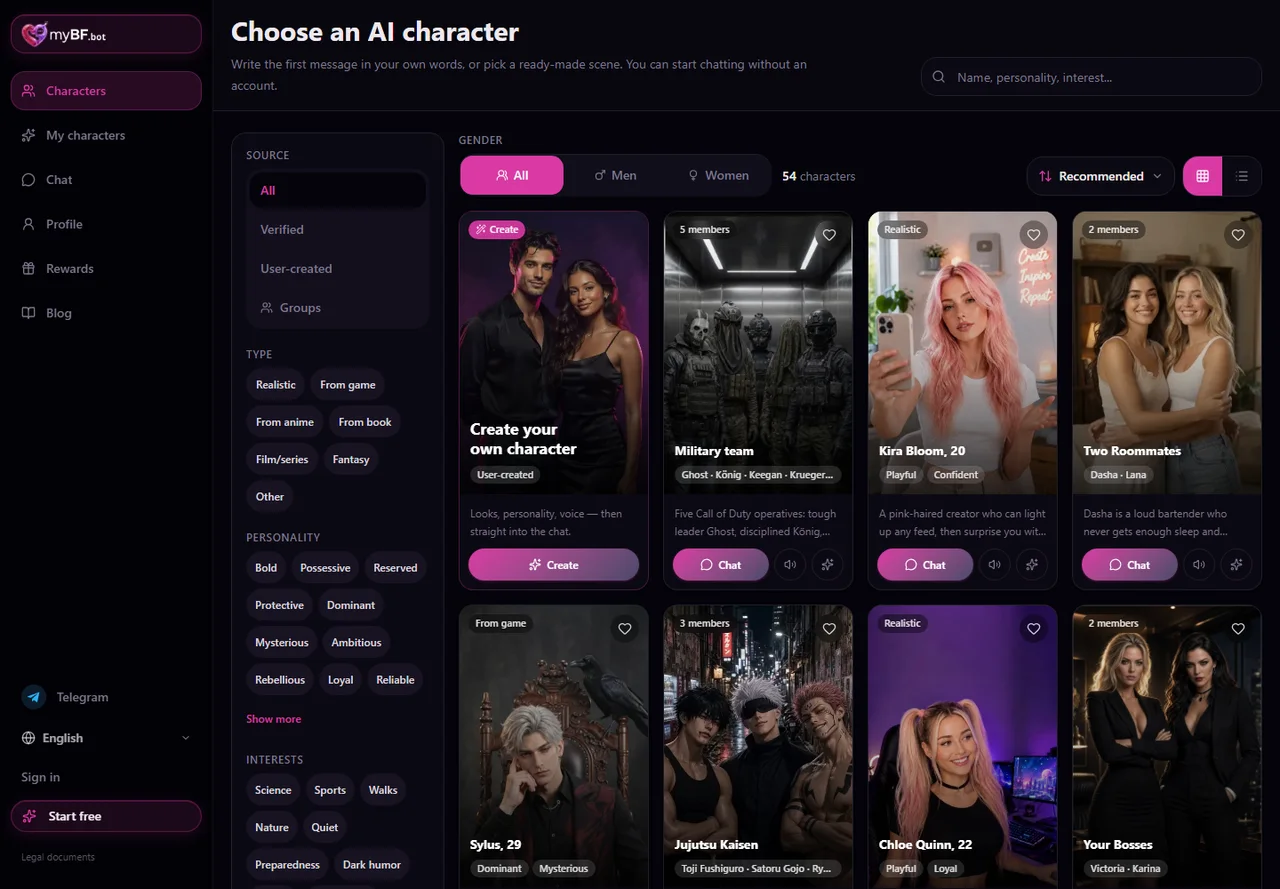
Before the conversation starts, you choose a format: Roleplay (scene-based, with actions and setting), Real chat (feels like ordinary texting), or Story (a more prose-driven mode). For an active fanfic scene, Roleplay or Story usually fits best. Next comes the opening scenario: a curated scene for that character, or one you write yourself, which is exactly how you drop straight into the right canon moment or AU without a long warm-up. You also pick a chat model from several options, so you can find one that holds the tone you’re going for.
One practical detail worth knowing: you can build and manage several of your own characters and switch between them. For a crossover or a scene with multiple fandom characters, that beats juggling separate tabs, since each character keeps its own card, personality, and history.
Memory keeps continuity going too. The character can remember details from earlier in the conversation and key moments from the scene, and you can correct or adjust that memory if something got recorded differently than the plot needs. That matters most when a fanfic isn’t written in one sitting but stretched across several sessions.
18+ mode here is a setting, not an automatic wall: you decide whether to turn it on for a given character, and baseline safety rules still apply either way. That’s the real difference from general-purpose bots like Character.AI, where stricter platform safety rules typically apply to adult and emotionally intense scenes. If that contrast matters to you, Character AI alternatives without filters for AI boyfriend roleplay goes into more detail.
What an opening scene actually looks like: a short example
Here’s a simple test run. Build a private character with a clear speech pattern and one strong personality trait, say a quiet bodyguard who hides concern behind a dry tone. Format: Roleplay. Scenario: your own opening scene (late at night, the character finds you still working on something important).
Short line, but the speech pattern and personality land immediately, and the scene doesn’t get derailed by a generic non-answer.
This is one exchange as an illustration of the method, not a guarantee of identical results for every scene and every character. The card and the emotional state you set up beforehand do most of the work here, not luck.
What else strengthens a fanfic: scene photos and character voice
Text and dialogue carry the plot, but a scene gets easier to picture with a little more.
You can request a scene photo directly in chat after signing up: a specific image of the character, a moment from the conversation, the mood of the scene. Same rule as with dialogue, results improve when the request describes an actual scene instead of a vague idea. “A morning selfie, like he just woke up and is thinking about me” works better than just “send a photo.” For more on writing these requests well, see AI boyfriend with photos 18+: images in chat.
If a photo doesn’t land, you can regenerate that image bubble without rewriting the whole scene just to get a different picture.
Voice adds another layer. You can send voice messages and get voice replies back from the character, which helps when you want to hear a line the way the character would say it, not just read it on a screen.
For crossovers or scenes with several fandom characters, managing multiple characters of your own comes in handy too: each keeps its own card, personality, and history, with nothing bleeding between them.
Free start and what paid limits unlock
You can start without any setup: a handful of messages work right away, no signup, enough to test whether the character actually holds their voice. Signing up matters after that, mainly to save the scene history and pick the fanfic back up later instead of starting from zero every time.
Once you’re registered, the free plan gives you 30 messages a day, 3 photos a month, and 10 voice replies a month, plenty to run the whole method end to end: character card, plotted scene, photos, and voice.
A paid tier extends those limits rather than removing them: more daily messages, longer replies, access to more chat models, and a wider recent-context window, which means fewer pauses on a longer fanfic that doesn’t get finished in one sitting. It’s worth checking current plans and terms directly in the app when you’re ready to look.
You don’t need to pay anything upfront. The free plan is enough to find out whether this way of writing fanfiction actually works for you before you decide to change anything.
Start the scene now
Pick a ready-made character close to the one you love, or build your own from scratch, set a scenario, and write the first line of the scene. Character card, a plotted three-beat plot, and an interactive roleplay chat instead of a one-shot generator, that’s the method that actually keeps a fanfic in character and stops it from cutting out right at the moment that matters.