
Companion picks
Pick a character to start with
Try a few different characters before you decide who feels right.
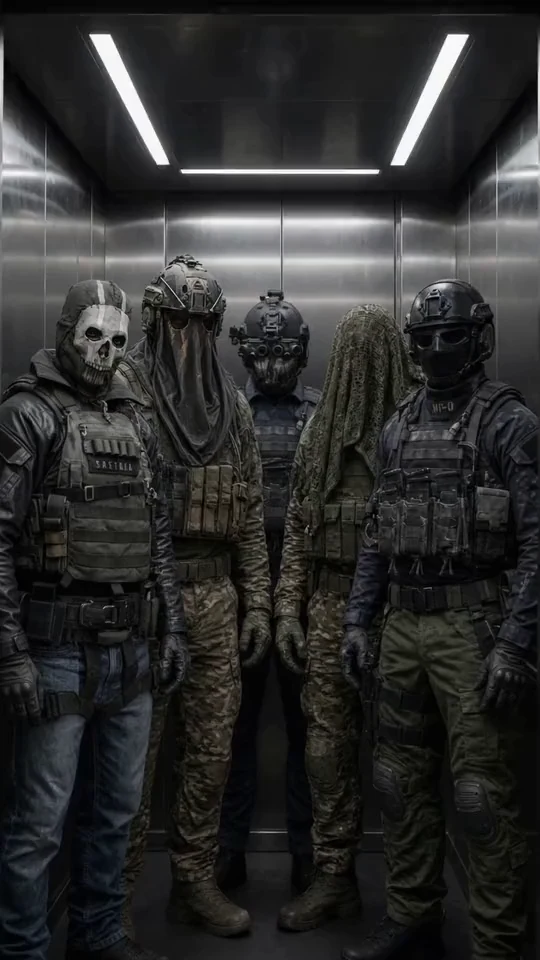
Military Team
Five Call of Duty operatives
Best for a group chat with Ghost, König, Keegan, Krueger and Nobody: military discipline, dry humor and five voices at once.

Ethan
Warm, playful boyfriend
Best when she wants a warm first message, soft comfort, and an easy chemistry check.

Satoru Gojo
The strongest sorcerer
Best for a playful, cocky first chat where the teasing hides a protective streak.

Cain
Centuries-old vampire
Best for a dark, slow-burn first chat with a cold, commanding man who guards the ones he lets close.
How I opened Dippy and who I picked
I found Dippy scrolling through yet another “AI companion apps” roundup one evening, and the phrase that stopped me was “unlimited messages, free.” On a market where every app eventually asks you to pay for the tenth reply, that’s the kind of claim worth checking. The catalog turned out to be genuinely active: hundreds of community characters, some with full backstories, others just a picture and a single line of description.
I picked one with an actual hook: a ghost with a past who hides behind jokes. Instead of typing “hi,” I opened with an action line, something like:
“I sit down across from you and put a photo on the table, one I found in your old room.”
The character picked up the detail, asked where the photo came from, and pushed the scene forward. A few replies in, it was clear the card had been written with some care, but it was also clear it was one card out of hundreds, and there’s no way to know in advance how good the next one will be.
Then came the questions the catalog doesn’t answer on its own.
What Dippy actually does well
The free messaging really has no visible cap on the surface. You can keep writing without hitting a wall after a handful of replies, which is how most free tiers in this category behave. Dippy’s App Store listing states unlimited free messages directly.
Tapping “create a character” turned out to be open to anyone with no extra steps: name, personality, backstory, communication style, and a choice to keep the card private or publish it for other users. The app’s listing on the MWM catalog independently describes character creation the same way, as available without restrictions.
Image generation from a text prompt also has no formal limit on attempts, so you can keep trying until you get the picture you actually wanted. The App Store page lists this as part of the base free feature set too.
The first real snag showed up around accounts. I closed the tab and came back later, and the conversation was gone. Dippy’s login screen says plainly that the app “is best experienced with an account,” and without signing in through Apple, Google, or email, a conversation only survives until you close the page.
The second snag is more interesting. The storefront advertises “unlimited,” but Dippy’s own community discusses a practical ceiling of roughly 300 messages every 12 hours. In practice that rarely bites during a normal evening of chatting, most people won’t notice it, but calling it unlimited is still a stretch.
On paper this is a generous free tier. The real question is what happens once you want more: custom themes, image sharing, deeper memory.
The pricing catch: web price vs. app store price
This is where Dippy gets less straightforward. The free plan is $0 a year with unlimited messaging. Premium runs $119 a year, about $9.92 a month, and unlocks custom themes, image sharing, priority support, and expanded memory. Buy the same subscription through Google Play instead, and it runs over $200 a year before any discount, a gap confirmed by a Dippy review on directline.pro that breaks down both prices.
There’s no dedicated pricing page on dippy.ai itself. You only see the numbers through the App Store, Google Play, or third-party reviews, so there’s no way to compare plans before you’ve already started signing up somewhere.
That store markup is the moment Dippy stopped feeling like a straightforward free-to-premium app to me, and I started looking at what else was out there.
Pros and cons of Dippy
Pros
- Free messaging with no visible daily cap on the storefront
- Character creation open to every user immediately, with no extra requirements
- Image generation from a prompt with no formal limit on attempts
- An iOS home-screen widget for quick access to favorite characters
Cons
- No dedicated pricing page on dippy.ai: you only see numbers through the App Store, Google Play, or third-party reviews
- Chat history disappears without an account, so you need to sign up from your very first session if you want to come back to a conversation
- The advertised “unlimited” messaging has a practical ceiling the community puts around 300 messages per 12 hours, though it rarely matters for a normal chat session
- Subscribing through Google Play costs nearly double the web/App Store price before any discount
- Only one chat mode: no separate roleplay, real-chat, or story format, and no choice between chat models
This is usually the point where the actual question kicks in: what else covers the same ground.
Where mybf.bot covers the same ground and adds to it
Character creation is the feature that made Dippy interesting, and mybf.bot has the same idea with more depth: name, personality, appearance, voice, interests, kept private or submitted for moderated publication in the shared catalog. If you want a walkthrough of how to build a character from a blank card, this guide to setting up an AI character’s personality covers the same fields Dippy asks for, just with more control over the result. You can start building your own character here.
The bigger gap is format. Dippy gives you one chat mode and that’s it. Before a conversation starts on mybf.bot, you pick Roleplay, Real chat, or Story, then a curated opening scene or your own, plus which chat model answers you. If you want the ghost-with-jokes kind of scene one night and a plain back-and-forth text conversation the next, that’s a format switch, not a workaround. This breakdown of AI character features worth checking goes through why format and model choice change how a conversation actually feels, not just how it looks.
Photos and voice are available once you register: I asked for a photo and got one that matched the scene, sent a voice note under 60 seconds and got a spoken reply back. Memory is editable too, you can ask what a character remembers, tell it to forget a specific detail, and confirm the ones that matter, so a conversation doesn’t reset to zero the way a Dippy chat does the moment you close the tab without an account. This explainer on how AI companion memory should work covers the same tradeoff between useful continuity and an AI that pretends to remember everything.
Who Dippy fits, and who mybf.bot fits
Dippy makes sense if you’re fine with one chat mode, comfortable paying through the App Store rather than Google Play, and mainly want free messaging and image generation without deeper customization of the conversation itself.
mybf.bot makes more sense if you want a choice of chat format, a say in which model answers you, a character with its own voice and photos, and memory you can actually edit instead of losing the thread every time you close the app. Browse the character catalog and start a conversation here: signup takes under a minute, and the first messages are free.