

What Tipsy Chat is and who it fits
I found Tipsy Chat in a roundup of AI roleplay apps and went straight for the character catalog instead of the settings menu. It’s full of anime archetypes, fantasy creatures, and characters that read like they were lifted straight from popular fandoms. The developer, Lightspeed Intelligence Ltd, rates the app 18+, and it lives on iOS and Android as a mobile product rather than a full browser site.
The pitch is ambitious: an “immersive next-generation AI roleplay platform” for building stories across anime, games, fantasy, and fanfiction genres, with custom character creation and, allegedly, real-time images and video on top of text. The standout feature is ScenePlay Mode, a full-screen cinematic layout with interactive choices and visual scenes, which is genuinely unusual for a niche roleplay app. Several models sit behind the conversations, including Claude Sonnet.
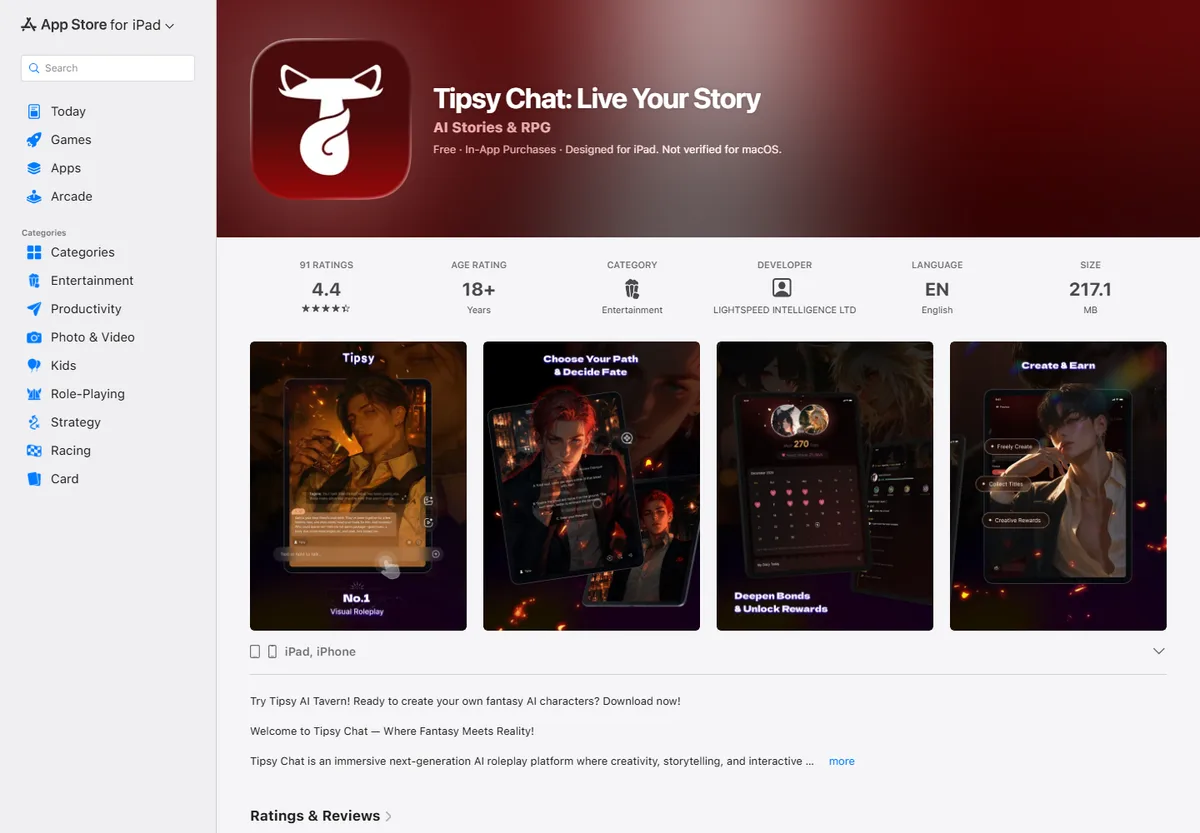
I didn’t pick a random character to test. I chose a fantasy guard with a short backstory about swearing to protect some ruins, then opened with an action line instead of a plain hello: standing at the gate with a map, asking if I could pass. The reply came back detailed, with scene texture and a consistent voice. On a first message, Tipsy Chat delivers.
Companion picks
Pick a character to start with
Try a few different characters before you decide who feels right.

Military Team
Five Call of Duty operatives
Best for a group chat with Ghost, König, Keegan, Krueger and Nobody: military discipline, dry humor and five voices at once.

Ethan
Warm, playful boyfriend
Best when she wants a warm first message, soft comfort, and an easy chemistry check.

Satoru Gojo
The strongest sorcerer
Best for a playful, cocky first chat where the teasing hides a protective streak.

Cain
Centuries-old vampire
Best for a dark, slow-burn first chat with a cold, commanding man who guards the ones he lets close.
How Tipsy Chat actually works
The interface is entirely in English, on every store listing I checked, including the one showing a non-US storefront. The chat engine itself handles conversation in more than 20 languages, so writing to a character in another language gets a same-language reply. The buttons and menus stay English regardless.
The setup path looks like this:
- Sign up with email.
- Pick a character from the catalog or build your own, with personality, style, voice, and backstory options.
- Send an opening line. The more specific the action, the better the scene holds together.
- Watch how the character keeps the role over several messages.
- Track gems, the in-app currency. A daily free allotment refills automatically, and publishing your own characters earns extra gems.
That “sign up, fight the interface, configure a character” sequence shows up in a lot of niche roleplay apps. We walked through a similar one in our guide to Janitor AI, which also front-loads a learning curve before the first useful chat.
What happens after a few nights: memory, gems, and story drift
The first exchanges with the ruins guard were sharp. She remembered the oath, the map, even a torch I’d mentioned two messages earlier. But the longer the conversation ran, the more she started repeating lines or inventing details I hadn’t given her. That matches a recurring complaint in the reviews: early memory is strong, then the plot drifts from the original premise, especially once the relationship with a character climbs to higher levels.
The cost hits harder than the drift. App Store reviews put a single message at 11 to 12 gems, which means a starting balance of around fifty gems covers roughly four or five replies before the purchase screen shows up again. Reviewers also flag the free daily message allowance and note that replies cap out around 60 words each.
A second pattern shows up just as often: unexplained charges users call “money glitches.” Money leaves the card and there’s no clear receipt tying it to a specific action. One reviewer describes getting suspended over the words “queer” and “lgbtq” in a character description, after those same tags had cleared moderation before, which suggests the filtering rules shift without notice. Google Play’s data safety section also states the app can share personal information and device identifiers with third parties.
Tipsy Chat pros and cons
Pros
- Detailed, in-character replies that hold the scene’s tone well at the start of a conversation
- ScenePlay Mode, a cinematic visual format that’s rare in this category
- A daily free gem refill, plus bonus gems for publishing your own characters
- A wide genre catalog spanning anime, fantasy, and fanfiction
Cons
- Gems run out fast: reviewers report roughly 11 to 12 gems per message
- Charges without a clear receipt and slow refund handling
- Memory and plot consistency slip after a certain point, with characters contradicting earlier details
- Moderation of tags and character descriptions is unpredictable
- Billing runs through the Apple App Store and Google Play only
Where mybf.bot solves what Tipsy Chat can’t
Photos and voice. Tipsy Chat ties visual content to gems from the first few messages, and a single image or clip can eat most of a day’s free balance. On mybf.bot, a registered free account includes photo generation and bot voice replies as part of the plan, so you’re not buying currency just to see whether the format works for you.
Choosing the format and model. Several models power Tipsy Chat’s conversations, including Claude Sonnet, but you don’t pick which one runs your chat. mybf.bot lets you choose the conversation format (Roleplay, Real chat, or Story) and a chat model before you even start talking. Try it directly through start a chat.
Character creation. Tipsy Chat’s created characters default toward public visibility, with the moderation risk the “queer” and “lgbtq” tag suspension illustrates. On mybf.bot you can create your own character and keep it private, or submit it for moderated publication to the catalog. The choice stays with you.
Cost predictability. Losing four or five replies per top-up makes Tipsy Chat’s pricing hard to plan around. mybf.bot’s free daily messages don’t disappear at that pace, so a normal conversation doesn’t hit a paywall mid-scene.
If you want a broader checklist before picking any AI companion app, we cover the features worth checking in AI romantic companion: 10 features to look for before you choose.
Best Tipsy Chat alternatives in 2026
mybf.bot is the first alternative worth trying, especially if the gem economy and unpredictable moderation are the parts of Tipsy Chat that bother you most. Photos and voice come with the free plan, format and model selection happen before the chat starts, and a character catalog with voice previews is available right after signup.
If genre-specific storytelling in the anime and fandom space is the main draw and the gem management doesn’t bother you, Tipsy Chat still does that job, with the caveats above.
We ran a similar comparison for another popular app here: best Candy AI alternatives compared by free trial, photos, voice, and memory.
Who should stick with Tipsy Chat, and who should switch
Tipsy Chat suits readers who already like anime and fandom-style storytelling and don’t mind topping up gems regularly to keep long scenes running through ScenePlay Mode. If what matters more is photos and voice that don’t disappear into a currency system, a clear choice of chat format up front, and a private option for the characters you build, that’s mybf.bot’s lane. Usually the first message makes it obvious which evening you’re actually looking for.